[ mt-2.1 · menu bar utility ]

knock the macbook.
the app does the rest.

mactap turns knocks on the chassis, or on the desk under a still laptop, into shortcuts. one knock, two, three. copy, paste, accept, screenshots, media, whatever you map.

download mactap 2.1.0 view on github →
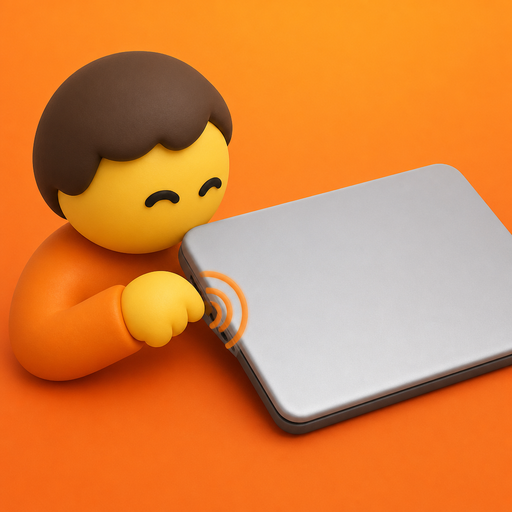
mactap app icon, a small character knocking on a macbook
[ click to knock ]
a comic panel of someone hammering their keyboard while papers and coffee fly everywhere, with the mactap logo
fig. 0: the old way. cmd, shift, option, repeat. the new way: knock.
01how it works

three knocks is a vocabulary.

×1 knock

the everyday one. copy, play or pause, accept the ai suggestion. the thing you reach for all day.

×2 knocks

the second slot. paste, next track, screenshot. one more hit, another verb.

×3 knocks

the decisive one. undo, save, lock. knock knock knock, done.

02two layouts

anywhere, or left and right.

anywhere

one, two or three knocks on the chassis or the desk. three slots, nothing to learn.

left & right

each edge gets its own actions. six slots: music on the left, work on the right.

03presets

five ways in, out of the box.

presetwhat it maps
dailycopy · paste · undo / play · screenshot · lock
codingai accept · ai reject · save · made for cursor and claude
capturefull screenshot · selection screenshot · lock
mediaprevious · volume · mute / play · next
focushide app · tile windows · lock · sleep display

per-app rules sit on top: cursor can take accept, reject and save while everything else stays on daily. sensitivity, cooldown and ignore while typing are all in settings.

04actions

one knock, almost anything.

copypastecut undoredosave ai acceptai reject screenshotscreenshot selection play / pausenext trackvolumemute lock screenspotlightmission control tile windowswitch desktop open appopen urlrun shortcut keyboard shortcutshell commandapplescript + 20 more
05install

four steps, then knock.

  1. download mactap-2.1.0 from the v2.1.0 release.
  2. unzip and drag mactap into applications.
  3. open it from applications (or spotlight).
  4. allow accessibility when asked. only the actions need it; knock detection works either way.
06details
requires
apple silicon macbook
with motion sensor
system
macOS 14.6
or later
privacy
classified on-device.
nothing gets uploaded.
license
mit.
open source.
fired: copied.