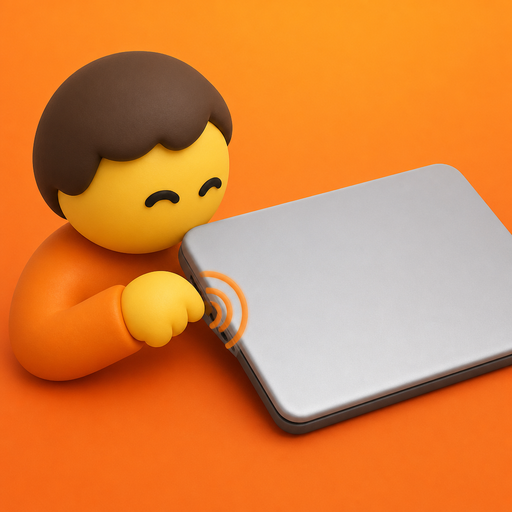
mactap turns knocks on the chassis, or on the desk under a still laptop, into shortcuts. one knock, two, three. copy, paste, accept, screenshots, media, whatever you map.
download mactap 2.1.2 view on github →[ 6,287+ downloads · live ]

the everyday one. copy, play or pause, accept the ai suggestion. the thing you reach for all day.
the second slot. paste, next track, screenshot. one more hit, another verb.
the decisive one. undo, save, lock. knock knock knock, done.
one, two or three knocks on the chassis or the desk. three slots, nothing to learn.
each edge gets its own actions. six slots: music on the left, work on the right.
per-app rules sit on top: cursor can take accept, reject and save while everything else stays on daily. sensitivity, cooldown and ignore while typing are all in settings.
new: custom knock sounds. pick from a built-in library or drop in your own — a thud, a click, a coin, whatever feels right. the app plays it back when it fires, so you actually hear the knock land.
posted at lunch, gone by dinner.
launch tweet so far: 387k views · 1,573 likes · 1,365 bookmarks · 128 replies · 82 reposts
Siiiiiiiick bro ty pic.twitter.com/0Ethapm7Hb
— Michael (@MichaelLee04) September 9, 2026
Can you make it so when I tap tap tap, it generate a knock knock joke with AI and play it via the speakers?
— Adam (@adamcohenhillel) September 9, 2026
WOW
— Julia Li (@juliali) September 9, 2026
Haha I want this just to play pranks on my friends
— Jacob Jolibois (@jacobjolibois) September 9, 2026
Amazing.
— Lee Reilly (@leereilly) September 9, 2026
Although folks in this coffee shop are looking at me like I'm some sorta psycho... *tap* *tap* *tappy* pic.twitter.com/cPVZiAkPcG
That sounds fun
— kazi (@wolfofbaystreet) September 9, 2026
macbooks with the chassis motion sensor: m2 and later macbook air and pro, plus the m1 pro and m1 max macbook pro. the imu lives in the unibody, so desktop macs and external keyboards are out.
yes to both. knocks are classified on-device and nothing ever gets uploaded. no account, no analytics, no network calls.
only the actions need it — copy, paste, keystrokes, scripts. knock detection works either way, so you can deny it and still knock.
no. it's a small native swift menu bar app — no electron, no daemons. the sensor path sips power.
yes, and mit open source. over five thousand people grabbed it in the first four hours.